
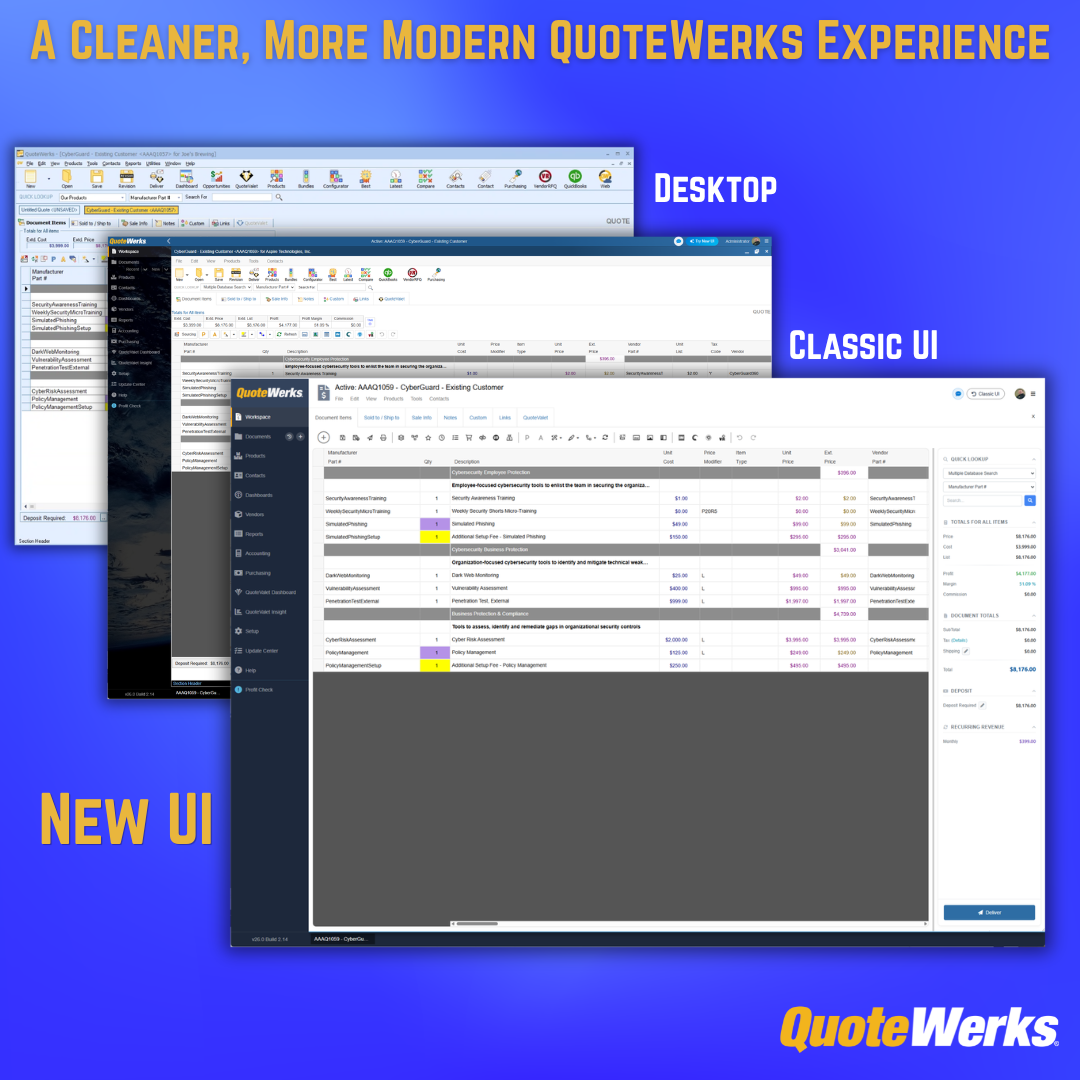
QuoteWerks Web has a refreshed interface designed to make quoting in the browser feel cleaner, easier to scan, and more natural to use.
As web-based quoting software, QuoteWerks Web helps teams create, modify, and deliver professional quotes and proposals without needing to install software locally. The refreshed experience keeps the power of QuoteWerks Web intact while improving the way users move through quotes, review information, and work from a browser-based environment.
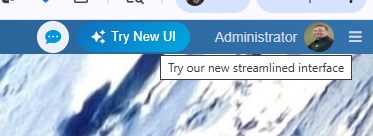
For existing QuoteWerks Web customers, the new look is available as an optional experience. You can try it by clicking the “Try New UI” button in the upper-right corner of QuoteWerks Web. If you prefer the familiar layout, you can switch back using the “Classic UI” button.
New QuoteWerks Web customers will automatically start with the refreshed interface.
What’s Changing
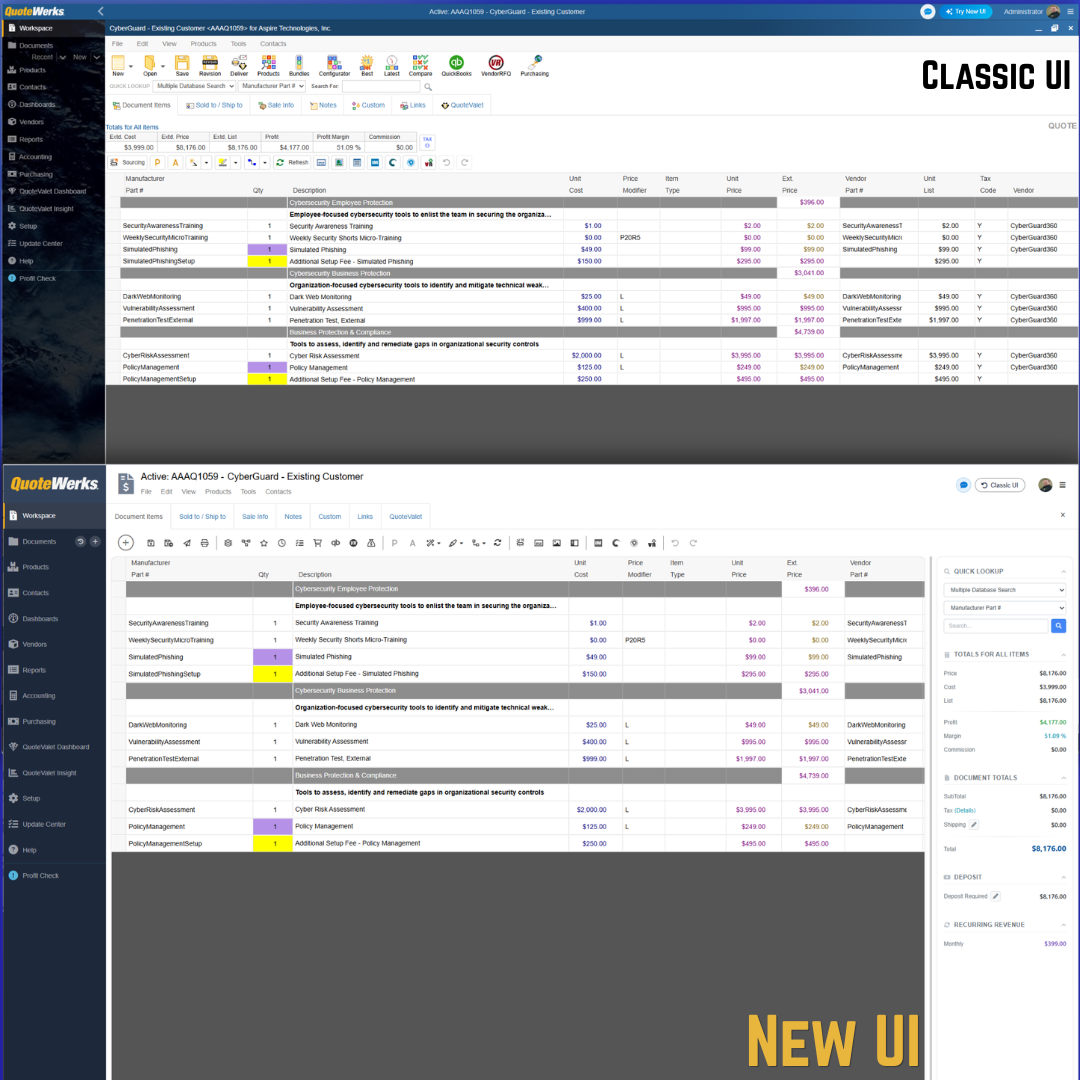
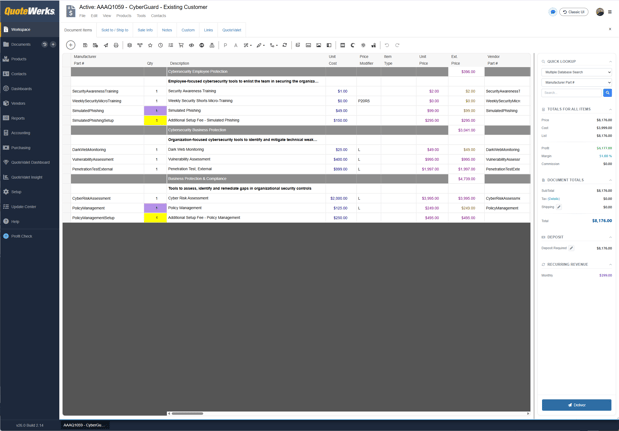
The refreshed QuoteWerks Web interface introduces a cleaner, more modern layout while preserving the CPQ and quoting workflows customers already know.
Some of the most noticeable changes include:
- A more modern top toolbar
- Cleaner spacing around quote details
- A simplified visual structure
- A right-side summary panel for quick access to quote totals and related information
- A layout that feels more natural for a browser-based quoting software experience
The goal is not simply to make QuoteWerks Web look newer. The goal is to make the quoting workspace easier to scan, easier to navigate, and better aligned with how sales teams use QuoteWerks Web to build quotes and proposals today.

Why We Refreshed the QuoteWerks Web Interface
QuoteWerks Web continues to evolve as more teams rely on it to create, modify, and deliver quotes from a browser.
The Classic UI was intentionally familiar for users coming from QuoteWerks Desktop. That familiarity was helpful, especially for existing customers who already knew where to find core features and quoting tools.
At the same time, we have heard from customers at events, in conversations with our team, and through direct feedback that they wanted a QuoteWerks Web experience that better reflects the power and capabilities they rely on every day.
The refreshed interface is one step in that direction: a cleaner, more modern experience designed to make QuoteWerks Web feel as capable and current as the CPQ, quoting, and proposal workflows it supports.
Existing Customers Can Try the New UI
Existing QuoteWerks Web customers can try the refreshed interface by clicking the “Try New UI” button in the upper-right corner of QuoteWerks Web.
This gives your team a low-friction way to explore the new look without being forced into an immediate change.
We know that quoting workflows are important. Your team may have established habits, internal processes, and training around the current interface. That is why existing customers can choose when to try the refreshed experience.
If you do not see the “Try New UI” option, contact QuoteWerks Support or your QuoteWerks administrator.
Prefer the Classic UI? You Can Switch Back
The refreshed interface is optional for existing QuoteWerks Web customers right now.
If you try the new look and prefer the familiar QuoteWerks Web layout, you can switch back by clicking the “Classic UI” button in the upper-right corner.

This gives your team the flexibility to try the refreshed experience, compare it to the Classic UI, and choose the interface that works best for your current sales quoting workflow.
Share Feedback Directly from QuoteWerks Web
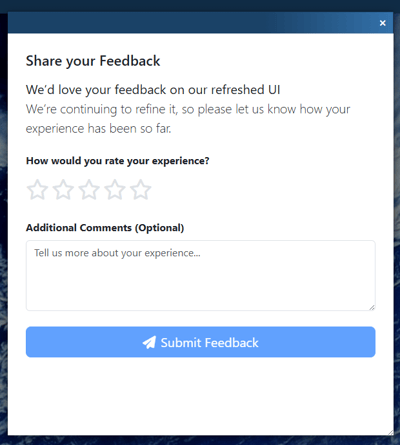
Along with the refreshed UI, existing customers will also see a feedback option.
After trying the new interface, you can rate your experience and share comments directly with our team.
Customer feedback is being reviewed by our team. We are looking for patterns, identifying friction points, and making thoughtful refinements where they improve the experience without disrupting core quoting workflows.
Helpful feedback includes things like:
- What feels easier in the refreshed interface
- Anything that feels harder to find
- Areas where spacing, layout, or navigation could be improved
- Any quoting or proposal workflow that feels slower or less intuitive
- Suggestions that would make the experience better for your sales, quoting, or customer-facing team
The Same QuoteWerks Power, in a Cleaner Interface
The refreshed UI does not remove the quoting software capabilities your team depends on.
Core QuoteWerks Web functionality remains in place, including quote creation, proposal generation, document editing, customer details, line items, QuoteValet, CRM and PSA integrations, distributor integrations, product sourcing, purchasing, and related CPQ tools.
The refreshed interface is about improving the experience around those capabilities.
You can still build detailed quotes, manage line items, review totals, work with customer information, and deliver quotes and proposals through QuoteValet. The difference is that the workspace is cleaner, easier to scan, and more natural to use in a browser.
New QuoteWerks Web Customers Start with the Refreshed Experience
New QuoteWerks Web customers will automatically receive the refreshed interface.
This allows new users to begin with the latest QuoteWerks Web experience from day one, without needing to switch between the Classic UI and the refreshed layout.
For teams evaluating CPQ software or web-based quoting software, this updated interface provides a cleaner first experience while still delivering the quoting, proposal, CRM, PSA, distributor, and QuoteValet capabilities that make QuoteWerks valuable.
Try It and Tell Us What You Think
Existing QuoteWerks Web customers can log in, click “Try New UI,” and spend a few minutes using the refreshed interface on a real quote.
Then use the feedback button to tell us what feels better, what feels different, and what still needs improvement.
Your input will help guide continued refinements as we improve the QuoteWerks Web experience for both existing and new customers.
If you are new to QuoteWerks Web, you will start with the refreshed experience by default and can request a demo to see how QuoteWerks Web supports browser-based quoting, sales quoting, and quote and proposal workflows for your team.