
Outgrowing Excel? QuoteWerks Helps Teams Create Quotes, Manage Orders, and Streamline QuickBooks Workflows
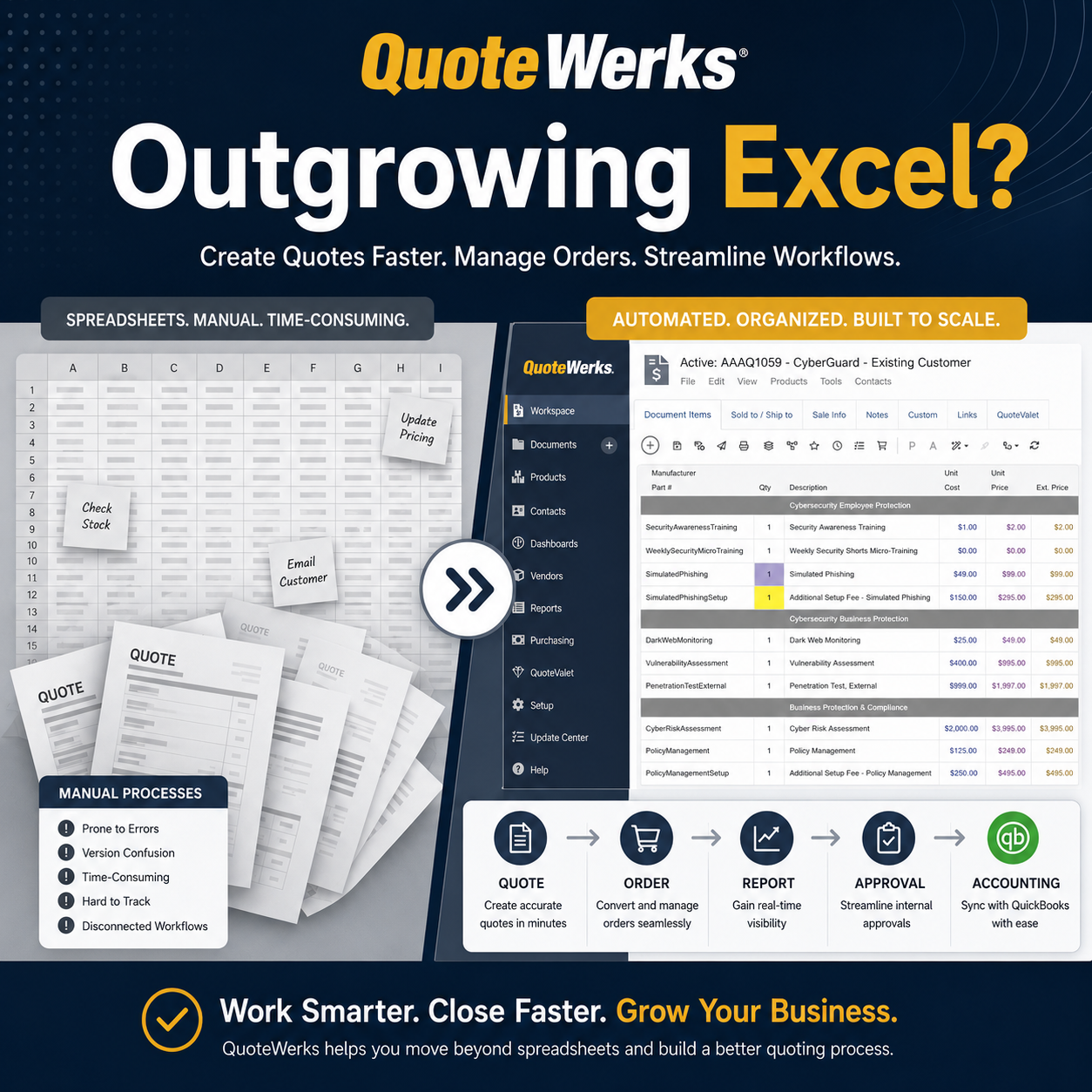
Many companies do not start out looking for CPQ software. They start with a spreadsheet.
At first, Excel works. There may be a master quote tracker, a manually created customer-facing quote, a separate vendor list, and a process everyone on the team understands because they helped build it.
But eventually, the cracks start to show. Quotes take longer than they should. Information gets copied from one place to another. Order details can be missed. Finance needs clean information, but the handoff is still manual. Managers want visibility into what is open, what has been approved, and what still needs action.
That is usually the point where companies start asking a bigger question:
Is there a better way to manage quoting without forcing our team into a massive new system?
For many organizations, QuoteWerks is the practical next step.
Built Around Real-World Quoting Conversations
The challenges described here are not hypothetical. They come from real conversations we have with companies evaluating better ways to create quotes, manage approvals, track orders, support purchasing, and connect quoting activity to accounting systems like QuickBooks.
These teams are not always looking for a massive software rollout. Many are simply trying to solve practical, everyday problems: too much manual entry, too many spreadsheets, inconsistent quote documents, limited visibility, disconnected purchasing steps, and accounting handoffs that rely on people remembering every detail.
That is where QuoteWerks is designed to help. It gives teams a more structured quoting process while still supporting the flexibility they need to handle real-world products, services, custom requests, and customer-specific workflows.
The Tipping Point: When Excel Stops Being Harmless
Excel usually does not fail all at once. It becomes risky gradually. The warning signs are familiar:
- The team has a “master spreadsheet” that only a few people fully understand.
- Customer-facing quotes are created manually from separate files.
- Quote status lives in someone’s head, email inbox, or file naming convention.
- Finance has to wait for clean information before invoicing.
- Purchase orders, approvals, fulfillment, and accounting handoffs are disconnected.
- Managers cannot easily see what is quoted, approved, ordered, or waiting on action.
At that point, the issue is no longer just quote creation. It becomes an operational control problem.
The goal is not just to make quotes look better. The goal is to make the entire quoting process more reliable, visible, and repeatable.
QuoteWerks helps teams move beyond spreadsheet-based quoting by giving them a more structured way to create quotes, manage approvals, convert quotes to orders, support purchasing, and hand off clean information to accounting.
Quote Without a Perfect Product Catalog
Some companies hesitate to adopt quoting software because they assume they need a complete catalog of products, SKUs, bundles, and pricing rules before they can get started. That is not always true.
QuoteWerks supports catalog-based quoting, but it also works well for teams that quote one-off products, services, special orders, and custom procurement requests.
Users can add items from a product database, insert one-time line items, copy and modify previous lines, use templates, and build professional quotes without forcing every item into a rigid catalog structure first.
Add Structure Without Sacrificing Flexibility
One of the reasons QuoteWerks is a strong fit for growing teams is that it does not force every business into the same rigid quoting process.
Teams can create quotes from templates, add products from a database, insert one-time line items, group products and services, manage quantities, calculate margins, and customize the final customer-facing quote layout.
That matters because many companies do not sell in a neat, prepackaged way. They need a quoting solution that supports real-world workflows.
Move Faster with Standardized Quote Templates
One of the fastest ways to improve quoting consistency is to stop starting from scratch.
With QuoteWerks, teams can use quote templates that already include the right structure, sections, terms, notes, formatting, and customer-facing presentation.
This helps teams:
- Create quotes faster
- Reduce formatting inconsistencies
- Standardize messaging
- Make onboarding easier for new team members
- Keep customer-facing documents consistent
Once templates are set up, users focus more on the customer’s needs and less on rebuilding the quote format every time.
Deliver Professional, Customer-Facing Quotes
Moving away from manually created quote files does not mean sacrificing presentation.
QuoteWerks allows companies to customize quote layouts with their logo, branding, terms, product sections, signature pages, and supporting documents.
Quotes can be delivered as PDFs or through QuoteValet, which adds online quote delivery, customer activity tracking, optional electronic signature, payment options, and reminders.
Some teams may start by sending PDF quotes, while others may want the added visibility and interactivity of QuoteValet right away. Either way, QuoteWerks gives companies room to modernize their quote delivery at their own pace.
Gain Visibility Without the Status Meetings
When quoting is managed through spreadsheets and email, managers often have to ask the same questions repeatedly:
- What quotes are still open?
- Which quotes are waiting on approval?
- What has already been converted to an order?
- What still needs to be purchased?
- What is ready to move to accounting?
QuoteWerks centralizes that visibility so teams can manage the quoting and order process from a shared system instead of relying on manual updates, inbox searches, or spreadsheet discipline.
Protect Margins with Approval Controls
As more people become involved in quoting, companies need controls.
QuoteWerks supports approval workflows so quotes can be reviewed before being sent, especially when certain conditions are met, such as dollar amount, margin level, or user permissions.
That gives managers better oversight without forcing them to manually inspect every quote.
Bridge the Gap Between Quoting and Purchasing
For many companies, the process does not end when the customer approves the quote.
The next step may involve creating an order, issuing purchase orders, working with vendors, and tracking items.
QuoteWerks supports the quote-to-order workflow, helping bridge the gap between the customer-facing quote and the operational steps required to fulfill it.
Instead of treating quoting, purchasing, and accounting as disconnected steps, QuoteWerks brings them into a structured process.
The Practical Middle Ground Before a Full CRM
Not every company needs Salesforce or HubSpot on day one.
For many teams, the immediate need is more practical:
- Store contacts
- Create quotes from those contacts
- View quote history
- Track active documents
- Keep customer and quoting activity in one place
QuoteWerks gives these teams a practical middle ground. They can move out of spreadsheets without taking on the cost, complexity, and change management of a full CRM rollout.
If a company already uses a CRM, QuoteWerks integrates with many leading CRM and PSA platforms.
Control When Quotes Move to QuickBooks
For companies using QuickBooks Online or QuickBooks Desktop, one of the biggest wins is reducing manual re-entry.
But the key is not just integration. It is control.
A common mistake is assuming every quote should immediately become an accounting transaction. Most companies need more flexibility.
A common QuoteWerks workflow looks like this:
- Create the quote in QuoteWerks.
- Send the quote to the customer.
- Receive approval or a purchase order.
- Convert the quote into an order.
- Push the appropriate information to QuickBooks only when the transaction is ready.
This helps reduce re-entry, avoids premature accounting records, and keeps finance working from cleaner information.
Adopt Incrementally to Avoid Implementation Pain
One reason teams stay in spreadsheets too long is the fear of disruption.
QuoteWerks helps reduce that risk by allowing teams to start with familiar concepts.
Existing contact lists can often be imported, and templates can be configured to match how the company already quotes. Users can start with core quoting workflows first, then expand into approvals, purchasing, and QuickBooks integration when ready.
Scale Smartly with Concurrent Licensing
Not every user needs to be logged into quoting software all day.
QuoteWerks uses concurrent user licensing, allowing companies to grow their quoting team without requiring every occasional user to have a dedicated paid license.
Is QuoteWerks the Right Fit for Your Team?
QuoteWerks is best suited for companies that need more operational structure around quoting without replacing every system they already use.
It is a strong fit for companies that:
- Still rely on Excel or Word to create quotes
- Need a practical quoting solution without a heavy ERP or CRM rollout
- Use QuickBooks Online or QuickBooks Desktop
- Sell products, services, custom items, or one-off requests
- Need better quote-to-order and purchasing workflows
- Want built-in contact management and visibility into customer quote history
- Need approval controls for a growing quoting team
- Want to reduce manual data entry and accounting handoff errors
If your quoting process is still built around spreadsheets, email, and manual tracking, QuoteWerks can help your team create accurate quotes faster while improving visibility and control across the sales and order process.
Ready to Move Beyond Excel-Based Quoting?
Start a QuoteWerks trial to see how your team can create quotes faster, manage approvals, convert quotes to orders, and streamline your QuickBooks workflow.
Prefer to walk through your current process with someone? Schedule a demo to see how QuoteWerks can fit your quoting, ordering, purchasing, and accounting workflow.