
Unlocking the Full Power of Automation with QuoteWerks Webhooks
Executive Summary
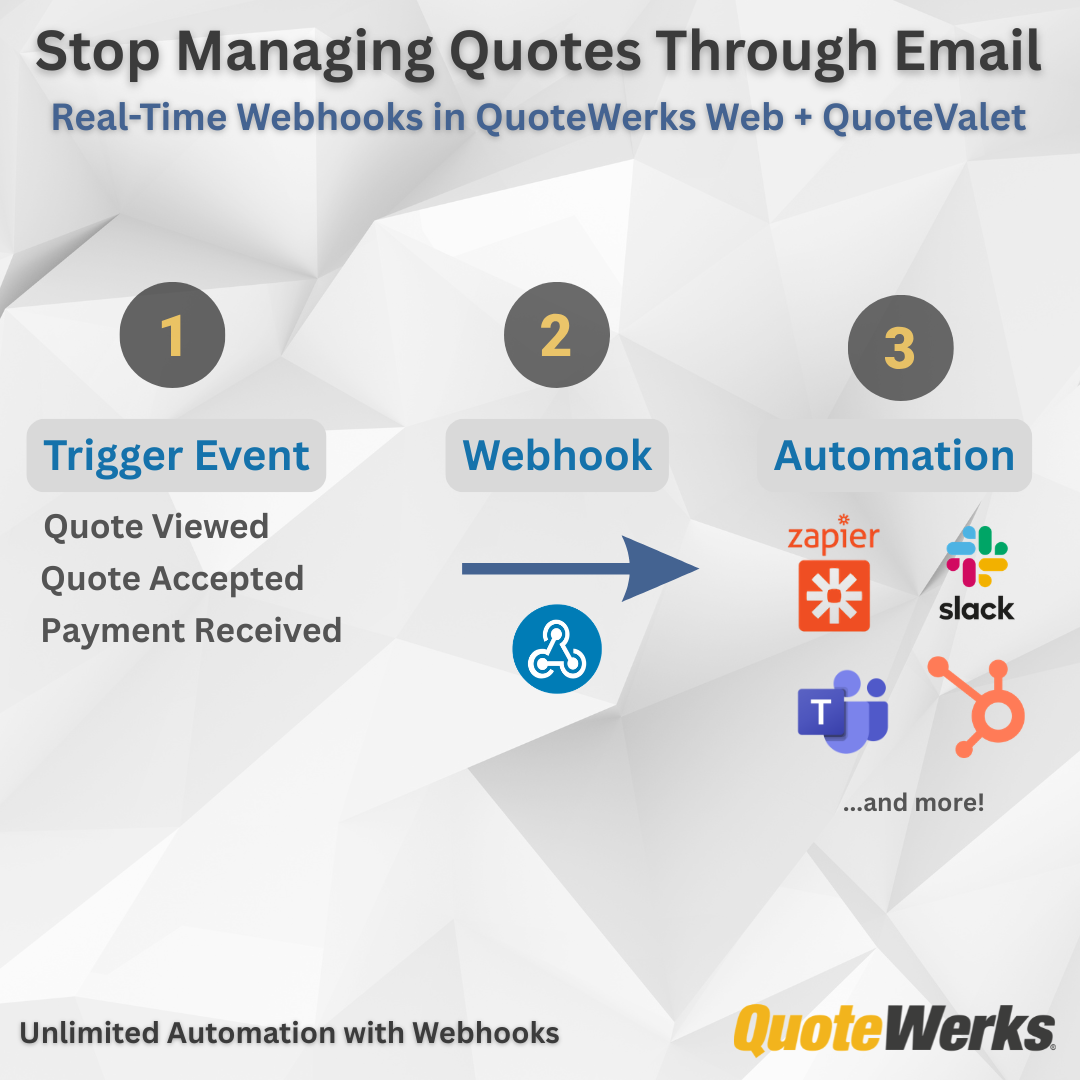
QuoteWerks Webhooks transform QuoteValet from a document delivery system into a real-time automation engine.
Instead of relying on email notifications and manual follow-up, every major customer interaction including quote views, approvals, signatures, payments, file uploads, and order submissions can now trigger immediate action inside your CRM, PSA, accounting platform, or workflow tool.
This unlocks measurable operational improvements:
-
Faster sales follow-up through automatic CRM task creation
- Reduced quote-to-cash time via payment and approval automation
- Instant onboarding triggers when documents are fully executed
- Real-time visibility into customer engagement and pricing changes
Webhooks work with both developer-built integrations and no-code platforms like Zapier, Microsoft Power Automate, and Make. That means powerful automation is accessible to technical and non-technical teams alike.
In this guide, you’ll find:
- A complete list of supported webhook events
- Detailed macro references for document, customer, financial, and line-item data
- Real-world automation examples
- Practical guidance on building scalable workflows
If you’re looking to connect quoting, sales, finance, and operations into a unified automation strategy, Webhooks are the foundation.
Webhooks in QuoteWerks
With the introduction of Webhooks in QuoteWerks, we have opened the door to a new level of automation, integration, and operational visibility across the sales process.
Until now, most QuoteValet activity notifications were delivered via email. That worked, but it limited what you could do with the data.
Webhooks change that.
Now, every major customer interaction, document update, approval action, payment event, and engagement signal can trigger real-time automation inside your CRM, PSA, accounting platform, or workflow engine.
And the best part is that you do not need to be a developer to use it.
With tools like Zapier, Power Automate, Make, or direct webhook listeners, even non-technical teams can build powerful process automation around their quotes and proposals.
This article walks through:
- Supported webhook events
- Available macros
- How they work together
- How adaptable the platform really is
Why Webhooks Matter
Webhooks turn QuoteValet from a document delivery system into an operational trigger engine.
Instead of waiting for someone to notice activity, your systems can respond instantly when:
- A quote is viewed
- A customer signs
- A payment succeeds
- Approval is granted
- A file is uploaded
- An order is submitted
This enables automation like:
- Creating CRM tasks when quotes are viewed
- Notifying finance when payments succeed
- Triggering onboarding when documents are signed
- Updating pipeline stages automatically
Real-World Automation Examples
CRM Automation
Trigger: QuoteValet.ViewedExternalFirstView
Action: Create follow-up task in CRM.
Finance Notifications
Trigger: QuoteValet.PaymentSuccess
Action: Post payment alert in Teams or Slack.
Onboarding Kickoff
Trigger: QuoteValet.SigningFullyExecutedNotificationTriggered
Action: Create PSA project automatically.
Sales Coaching Insights
Trigger: QuoteValet.OptionsChanged
Action: Notify rep and manager of product and pricing adjustments.
Built for Developers and Usable by Everyone
While developers can build deep integrations, most customers will use:
- Zapier
- Microsoft Power Automate
- Make
- Custom webhook listeners
Meaning:
- No coding required
- Drag-and-drop workflow design
- Rapid automation deployment
Behind every automation example above is a specific event trigger and a set of data points that power the workflow.
Below is the complete reference of supported webhook events, followed by the macros available within each payload.
Supported Webhook Events
Below are some of the supported webhook triggers.
System-Level Events
- System.ANY
Catch-All QuoteValet Events
- QuoteValet.ANY
Document Lifecycle Events
- QuoteValet.Created
- QuoteValet.CreatedForApproval
- QuoteValet.CreatedForCustomer
- QuoteValet.CreatedForPeerReview
- QuoteValet.Updated
- QuoteValet.UpdatedForApproval
- QuoteValet.UpdatedForCustomer
- QuoteValet.UpdatedForPeerReview
- QuoteValet.Recalled
- QuoteValet.ConvertedToLost
Acceptance and Approval Events
- QuoteValet.Accepted
- QuoteValet.AcceptedAwaitingAdditionalSigning
- QuoteValet.AcceptedByProxy
- QuoteValet.ApprovalApproved
- QuoteValet.ApprovalNotApproved
- QuoteValet.ApprovalRescinded
Signing Events
- QuoteValet.SignedByAgent
- QuoteValet.SignedByCustomer
- QuoteValet.SigningFullyExecutedNotificationTriggered
- QuoteValet.SigningRequestTriggered
- QuoteValet.SigningView
Payment Events
- QuoteValet.PaymentByProxy
- QuoteValet.PaymentFail
- QuoteValet.PaymentIntendsToPay
- QuoteValet.PaymentPending
- QuoteValet.PaymentRequestPageViewedByCustomer
- QuoteValet.PaymentRequestSet
- QuoteValet.PaymentSuccess
Engagement and Viewing Events
- QuoteValet.PrimaryQuotePdfViewed
- QuoteValet.ViewedExternal
- QuoteValet.ViewedExternalFirstView
- QuoteValet.ViewedInternal
- QuoteValet.ViewedInternalApproval
- QuoteValet.ViewedInternalPeerReview
- QuoteValet.ExpiredQuoteWasViewedByCustomer
- QuoteValet.RecalledQuoteWasViewedByCustomer
Collaboration and Interaction Events
- QuoteValet.QuestionPostedByCustomer
- QuoteValet.QuestionPostedBySalesRep
- QuoteValet.OptionsChanged
- QuoteValet.PeerReviewPosted
Order and Conversion Events
- QuoteValet.OrderFormViewed
- QuoteValet.OrderFormOrderSubmitted
Reminder Automation Events
- QuoteValet.AutoReminderEnqueued
- QuoteValet.AutoReminderRescheduled
- QuoteValet.AutoReminderSent
- QuoteValet.AutoReminderTentativelyScheduled
File and Upload Activity Events
- QuoteValet.UploadAreaFileUploadedByCustomer
- QuoteValet.UploadAreaFileUploadedBySalesRep
- QuoteValet.UploadAreaFileEditedByCustomer
- QuoteValet.UploadAreaFileEditedBySalesRep
- QuoteValet.UploadAreaFileDeletedByCustomer
- QuoteValet.UploadAreaFileDeletedBySalesRep
Mobile and Document Creation Events
- QuoteValet.DocumentCreatedInQuoteValetMobile
Understanding Macros
Events tell you when something happened.
Macros tell you what happened and what data is available.
Macros dynamically inject document, customer, financial, and operational data into the webhook payload.
They fall into three major categories.
System Macros
These describe the webhook event itself.
Use cases include:
- Logging webhook activity
- Routing events by type
- Timestamping automation workflows
Document-Level Macros
These provide full document visibility, including customer data, totals, approvals, recurring revenue, and more.
Document Access
Acceptance and Approval Data
Customer and Address Data
Bill To, Ship To, and Sold To data are fully exposed including:
- Company names
- Contacts
- Emails
- Phone numbers
- CRM record IDs
- Addresses
- Postal codes
- Countries
Examples include:
Financial Totals
All major financial metrics are available.
Recurring Revenue
Tax-inclusive variations are also available.
Currency and Exchange Data
Additional alternate currency fields are also supported.
Dates and Lifecycle
Custom Fields
Header customization includes:
- through customText28
- through customNumber05
- through customDate02
- through customMemo04
This allows webhook automation to leverage your unique business data.
Line Item Macros
Item-level macros allow automation down to the product and service level.
Product and Vendor Data
Pricing and Profitability
Quantity and Multipliers
- through qtyMultiplier4
Recurring Revenue at the Item Level
Tax and Shipping
Custom Item Fields
- through customText20
- through customNumber05
- through customDate02
- through customMemo05
The Bigger Picture
Webhooks are more than notifications.
They are the connective tissue between quoting, sales, finance, operations, and service delivery.
They allow QuoteWerks and QuoteValet to become:
- A trigger engine
- A workflow orchestrator
- An integration hub
All without changing how your sales team quotes today.