
Spreadsheets vs. Quoting Software: How to Reduce Quote Errors
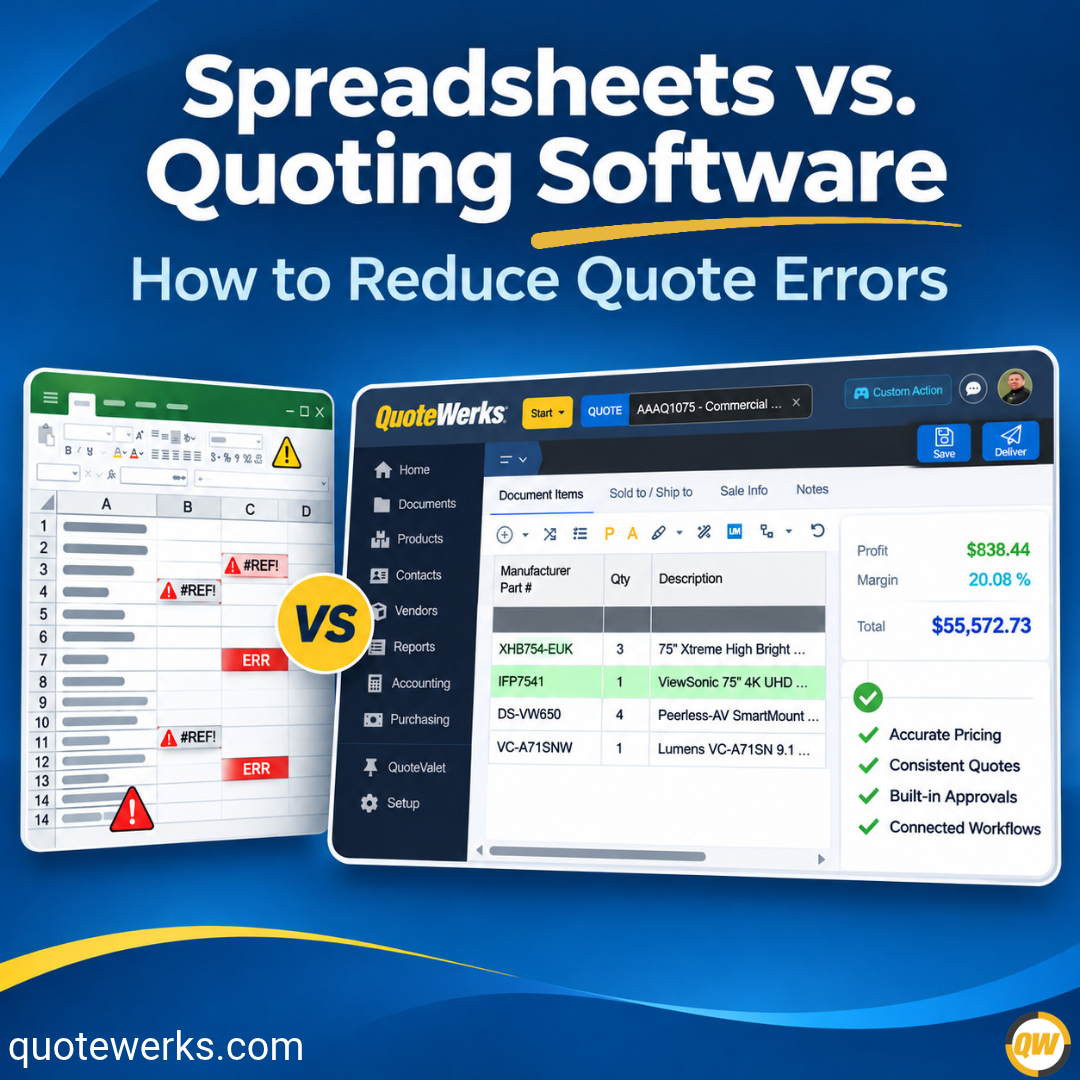
Spreadsheets are among the most versatile tools in business. Because they're familiar, flexible, and readily available, they serve as a natural starting point for creating sales quotes. For businesses with straightforward pricing and low quote volume, they can work reasonably well.
As a company grows, however, quoting requirements often change. Sales teams must manage larger product catalogs, fluctuating costs, customer-specific discounts, approval rules, and information spread across disconnected systems.
What begins as a convenient way to build proposals can become a source of pricing mistakes, inconsistent data, and unnecessary manual work.
Dedicated quoting software helps address these challenges by standardizing calculations, centralizing quote information, and connecting the quoting process to other business applications.
Let's examine where spreadsheet-based quoting creates problems and how businesses can improve quote accuracy without slowing down their sales teams.
What Causes Errors When Using Spreadsheets Instead of Quoting Software?
Spreadsheet quoting errors typically result from manual data entry, broken formulas, outdated pricing information, version control problems, and inconsistent approval processes.
Unlike dedicated quoting software, spreadsheets often rely on employees to manually maintain formulas, update price lists, verify details, and follow internal procedures. Even a carefully built workbook can produce an inaccurate quote when the underlying data is outdated or someone unintentionally changes a calculation.
These issues don't necessarily mean your team is careless. They're often symptoms of a quoting process that relies too heavily on manual steps and individual attention to detail.
1. Formula Errors Can Lead to Incorrect Quote Totals
One of the biggest advantages of spreadsheets is their ability to perform custom calculations. Yet that same flexibility can introduce errors.
In a workbook managing line-item pricing, discounts, shipping, and taxes, a sales representative might accidentally overwrite a formula while updating a unit price or add new products without extending the calculation range.
The spreadsheet may still look correct even though the final total is wrong, leading to underpriced deals that erode profitability or overpriced proposals that cost you the sale.
How quoting software helps: Dedicated quoting software handles calculations within a structured environment. Rather than relying on sales representatives to maintain spreadsheet formulas, the software calculates line-item prices, discounts, margins, and totals using defined pricing logic.
This reduces opportunities for calculation mistakes and gives sales representatives greater confidence in the numbers they present.
2. Outdated Product Pricing Creates Margin Risks
Accurate quotes depend on more than correct calculations. They also require up-to-date cost and pricing information.
For businesses sourcing products from multiple manufacturers or distributors, supplier costs can change frequently. A spreadsheet using last month's pricing may no longer reflect what the business will actually pay when an order is placed.
Consider a product that previously cost $800 and was quoted at $1,000, yielding a 20% gross margin.
If the supplier's cost increases to $900 and the spreadsheet isn't updated, that same $1,000 selling price produces only a 10% gross margin.
The formula in the spreadsheet isn't broken, but the business earns significantly less profit on the sale than expected.
A mathematically correct quote can still be financially inaccurate.
How quoting software helps: Quoting software centralizes product pricing so teams aren't maintaining separate spreadsheets. Solutions with vendor integrations can also retrieve current pricing and availability directly from supported distributors.
For businesses dealing with fluctuating supplier costs, these capabilities can help protect margins while reducing the time spent manually researching prices.
3. Multiple Spreadsheet Versions Create Confusion
When spreadsheets are shared across sales representatives, managers, and operations teams, version control can quickly become a problem.
One salesperson saves a modified quoting template to their desktop. Another uses an older copy from a shared drive. A third emails a revised spreadsheet to a colleague without realizing newer changes have already been made.
Suddenly, the team is working from multiple versions of what should be a single, standardized process.
The same confusion extends to customer proposals, which routinely go through several revisions as quantities, products, discounts, and services change.
Without a structured system to track those changes, determining which document contains the latest pricing or which version the customer actually approved can become difficult.
How quoting software helps: Dedicated quotation management software organizes quotes and revisions in a centralized system, making it easier to locate current documents, review previous versions, and maintain consistent workflows.
Instead of searching through email attachments and shared folders, employees can work within a structured quoting environment.
4. Inconsistent Discounts and Missing Approvals Can Reduce Profitability
Not every quoting error is a calculation mistake. Some occur because businesses lack consistent controls over pricing decisions.
A salesperson might offer an additional discount to close a deal without realizing it pushes the margin below an acceptable threshold. Another employee might quote custom pricing without obtaining the required management approval.
While spreadsheets can display margin percentages, enforcing pricing policies around them often requires manual workarounds, such as remembering to email a manager or checking a separate discount matrix before sending a proposal.
As quote volume and team size increase, these informal controls become harder to manage.
How quoting software helps: Quoting solutions with built-in review and approval workflows help businesses establish consistent procedures for handling pricing exceptions.
Managers can review margins and approve special discounts before a quote is delivered, helping prevent unauthorized discounts and unnecessary margin erosion.
The goal isn't to add unnecessary bureaucracy. It's to give sales representatives clear pricing guidelines while ensuring exceptions receive appropriate oversight.
5. Manual Data Entry Increases the Opportunity for Mistakes
A spreadsheet rarely contains everything needed to prepare a complete quote.
Sales representatives may need to retrieve customer details from a CRM, research product specifications and costs on distributor websites, calculate pricing in Excel, and then enter the final quote information into another business system.
Every time information is copied, retyped, or transferred between applications, there's another opportunity for human error.
That might mean entering an incorrect quantity, using an outdated customer address, or selecting the wrong product configuration.
Even when mistakes don't occur, repeatedly entering the same information wastes valuable selling time.
How quoting software helps: Modern sales quoting tools can integrate with CRM, Professional Services Automation (PSA), and accounting systems, allowing representatives to reuse existing customer and business information.
Connecting these systems reduces duplicate data entry and helps maintain consistency throughout the sales cycle.
Spreadsheets vs. Quoting Software: What's the Difference?
Both spreadsheets and dedicated quoting software can produce customer-facing quotes. However, the operational differences become more significant as a business grows and quoting requirements evolve.
| Quoting Requirement | Spreadsheets | Dedicated Quoting Software |
|---|---|---|
| Pricing calculations | Depend on formulas maintained by users | Uses structured pricing calculations |
| Product pricing | Often requires manual updates | Can use centralized product catalogs and supported pricing integrations |
| Quote revisions | Frequently managed through separate files | Provides organized quote and revision management |
| Discount controls | Typically require manual verification | Can support pricing rules and approval workflows |
| CRM integration | Often relies on copying and pasting | Can connect directly with supported CRM systems |
| Team collaboration | Depends on shared files and procedures | Provides a centralized quoting environment |
| Quote tracking | Often requires separate records | Can track quote status and customer activity |
| Growth and scalability | May require additional templates and manual processes | Supports growing sales teams and evolving quoting needs |
Not every quoting platform includes all these capabilities, so businesses should evaluate solutions based on their specific workflows, integrations, and pricing requirements.
When Should a Business Move Beyond Spreadsheets?
There's nothing inherently wrong with using spreadsheets for simple quotes. A small business preparing a handful of straightforward proposals each month may not need dedicated quoting software.
The tipping point often arrives when employees must create increasingly complicated workarounds just to prepare accurate quotes.
It may be time to consider quoting software if:
- Sales representatives regularly spend time verifying or correcting quote calculations.
- Product prices change frequently or come from multiple suppliers and distributors.
- Managers struggle to review discounts and margins before quotes are sent to customers.
- Employees maintain different versions of quoting templates or customer proposals.
- Customer and product information must be repeatedly entered across multiple business systems.
- Preparing a quote takes longer than it should because employees are searching for information.
Ultimately, the decision shouldn't rest solely on monthly quote volume. The number of steps involved and the amount of manual effort required to prepare each proposal are often stronger indicators.
Businesses facing these challenges can benefit from evaluating alternatives to spreadsheet-based and manual quoting.
How QuoteWerks Helps Businesses Improve Quote Accuracy
QuoteWerks helps businesses create accurate, professional quotes while reducing the manual processes that commonly lead to mistakes.
Rather than relying on disconnected spreadsheets, QuoteWerks brings product information, pricing, quote management, and connected sales workflows into a dedicated quoting solution.
Key capabilities include:
Centralized Product and Pricing Information
Build quotes using products and services maintained within QuoteWerks or accessed through supported integrations. Standardized pricing calculations reduce reliance on manually maintained spreadsheet formulas and help maintain consistency across the sales team.
Real-Time Distributor Pricing and Availability
For businesses purchasing from IT distributors and suppliers, QuoteWerks' real-time vendor integrations provide access to current pricing and availability from supported distributors.
Sales representatives can compare vendor costs and make more informed sourcing decisions without repeatedly switching between supplier websites.
Margin Visibility and Quote Approvals
QuoteWerks provides visibility into costs, selling prices, and gross margins during quote preparation.
Built-in quote review and approval workflows help businesses establish consistent pricing oversight and review exceptions before quotes are delivered.
CRM and Business Application Integrations
QuoteWerks connects with popular CRM, PSA, accounting, and other business applications, allowing sales teams to work with existing customer information while reducing duplicate data entry.
Explore the available QuoteWerks integrations to see how quoting can fit into your existing business systems.
Quote Revisions and Document Management
Manage quotes, proposals, and revisions in a structured environment rather than juggling multiple spreadsheet files and email attachments.
Together, these capabilities help businesses establish a repeatable quoting process, improve margin visibility, and reduce unnecessary administrative work.
Accurate Quotes Start with a Reliable Process
Spreadsheets are valuable business tools, but they weren't specifically designed to manage every aspect of a business's sales quoting process.
As businesses grow, manual formulas, changing supplier prices, scattered revisions, and disconnected applications can make quote accuracy increasingly difficult to maintain.
Dedicated quoting software helps businesses replace these manual workarounds with structured calculations, centralized quote management, approval workflows, and integrations with the systems they already use.
The goal isn't simply to replace a spreadsheet with another application. It's to build a quoting process that sales teams can rely on as their business grows.
If your team spends too much time checking formulas, updating price sheets, or correcting avoidable quote errors, it may be time to evaluate a better approach.
Ready to move beyond spreadsheet-based quoting? Schedule a QuoteWerks demo to see how QuoteWerks can help your team create accurate quotes, reduce manual work, and improve your sales process.
Frequently Asked Questions
What causes errors when using spreadsheets instead of quoting software?
Common causes include incorrect or overwritten formulas, outdated supplier pricing, manual data entry mistakes, inconsistent discounting, and file version control problems. Quoting software helps reduce these risks through structured pricing calculations, centralized product information, and approval workflows.
Is quoting software more accurate than Excel?
Dedicated quoting software can improve quote accuracy by reducing manual formula maintenance and standardizing how prices, discounts, and taxes are calculated. However, accurate quotes still depend on maintaining correct product data and properly configured pricing rules.
Can spreadsheets still be used for sales quotes?
Yes. Spreadsheets can work well for small businesses with simple product catalogs, low quote volume, and limited collaboration requirements. Dedicated quoting software becomes more valuable as product catalogs expand, supplier prices change frequently, or approval requirements increase.
How does quoting software help protect profit margins?
Quoting software provides visibility into product costs, selling prices, discounts, and gross margins while quotes are prepared. Solutions with approval workflows can also help businesses review pricing exceptions and low-margin quotes before they are delivered to customers.
What should businesses look for in quoting software?
Important capabilities include structured pricing calculations, centralized product management, quote revisions, CRM and PSA integrations, approval workflows, and margin visibility. Businesses sourcing products from distributors should also consider real-time vendor pricing and availability integrations.